
Start with a flat bed and a clean surface
First-layer problems often start long before the nozzle moves. Check that the build plate is level across the full area, especially on larger beds where the corners can drift a little after transport or repeated heating. If you are printing in a Cape Town workshop with cool mornings and warmer afternoons, give the machine time to reach a stable temperature before you begin, then re-check the mesh or manual levelling if your printer tends to shift.
Cleanliness matters just as much. PETG does not like grease, dust or old adhesive build-up. Wipe the bed with a suitable cleaner and use a lint-free cloth so you do not leave fibres behind. If the plate has been touched a lot, clean it again before a long print. This is a small job but it makes a big difference to reliabilty.
- Check corner height and centre height, not only one point
- Remove dust, fingerprints and residue before every critical print
- Let the bed heat soak for several minutes before final levelling
Use the right first-layer height and speed
PETG likes a first layer that is not rushed. A slower start gives the filament time to bond without being dragged around by the nozzle. For most setups, a first layer height around 0.20 mm to 0.28 mm is a sensible place to begin, depending on nozzle size and the surface you are printing on. Too thin and the material can smear or scrape, too thick and it may not grip well enough.
Keep the first layer speed conservative. Around 15 to 25 mm/s is often enough for cleaner adhesion, especially if the printer is in a room with moving air from open doors or an extractor fan. If you are printing smaller parts in batches, this slower start helps every item settle before the machine begins to build height.
- Use a slightly slower first layer than the rest of the print
- Match first layer height to nozzle size and part detail
- Watch the first 5 to 10 lines for uniform width and contact
Dial in nozzle and bed temperatures for PETG
Temperature is one of the main reasons PETG first layers fail. Too cool and the filament will not wet the surface properly. Too hot and it can become stringy, soft and messy at the edges. Start with the maker’s recommended range for your filament, then adjust in small steps until the line lays down smoothly and sticks without being pressed flat too hard.
Bed temperature also matters. A bed that is too cold can cause corners to lift, while one that is too hot can make the first layer overly soft. In coastal areas like the Cape Flats or further down toward Somerset West, humidity can change how PETG behaves from one week to the next so keep a note of what works for your machine and room conditions. If you see blobbing at the start of a print, reduce nozzle temperature slightly before changing anything else.
- Change one setting at a time so you can see the effect
- Record the best nozzle and bed settings for each spool
- Allow for room temperature changes on humid or cold days
Adjust extrusion and nozzle distance before chasing other faults
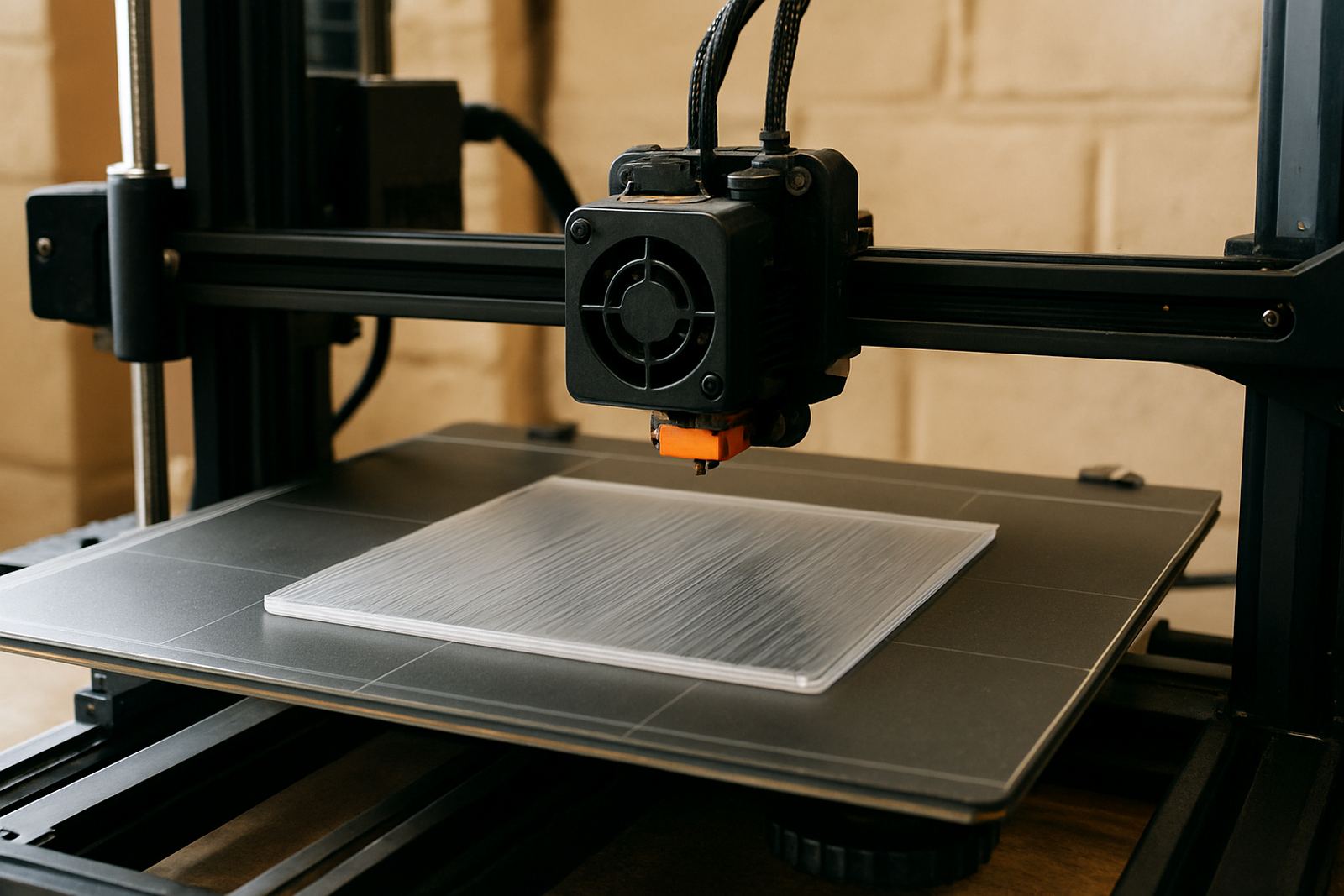
If the nozzle sits too high, PETG will lay down in a round line that barely grips the plate. If it sits too low, the line can look thin, scraped or overly squashed. That is why Z-offset or live adjustment is so important during the first layer. A good line should look consistent, with no gaps and no ridges pushing up beside it.
Flow rate also affects the result. A slight under-extrusion in the first layer can leave tiny holes that only show later when the part starts to peel. A slight over-extrusion can cause ridges that collect the nozzle and lead to dragging. Make a small test print, inspect the edges, then adjust in small increments. It is better to spend 10 minutes tuning than to lose a full print run.
- Look for a smooth line with no transparent gaps
- Check that the nozzle is not scraping or leaving gouges
- Use live Z adjustment to correct the first layer during printing
Choose the right surface and hold-down method
PETG can bond very firmly to some surfaces, which is useful until removal becomes a problem. On smooth plates or glass, a light release layer may be needed so the part does not fuse too hard to the bed. On textured surfaces, you may get better grip with less effort, but the first layer still needs to be even. If you are printing parts with sharp corners or a wide footprint, brim settings can help keep the edges down.
For larger sheets or panel-style parts, keep an eye on airflow and vibration. A printer near a roller door or workshop floor that moves with other machinery can shift the first layer slightly and that is enough to create a weak edge. If you are doing small batch production, arrange the parts so each one has enough space and the nozzle does not run over cooling areas too fast.
- Use a release layer when adhesion is too strong
- Add a brim for parts with corners that lift easily
- Keep the printer away from draughts and vibration where possible
Use a simple first-layer checklist before every print
A short checklist saves material and time. Before each print, confirm the bed is clean, the nozzle is clear, the filament is dry enough for the current weather and the first layer settings match the job. In South African workshops, load-shedding can interrupt warm-up cycles so check that the machine has reached full temperature again after any power pause before you restart a critical job.
If you are using PETG for prototyping, functional brackets or presentation parts, consistency matters more than speed. A clean first layer means fewer reprints, less warping and less post-processing. When you need cut PETG sheets, strip cutting, panel cutting or courier packing for filament nationwide, PETG in Epping, Cape Town works with clients through the enquiry form on the contact page and supports jobs for collection points in areas such as Bellville, Parow, Claremont, Montague Gardens, Paarl and Stellenbosch.
- Bed level checked and surface cleaned
- First layer height, speed and temperature confirmed
- Nozzle and filament condition checked after any pause or interruption
- Test line inspected before the full print runs